A pointer on somebody else's screen
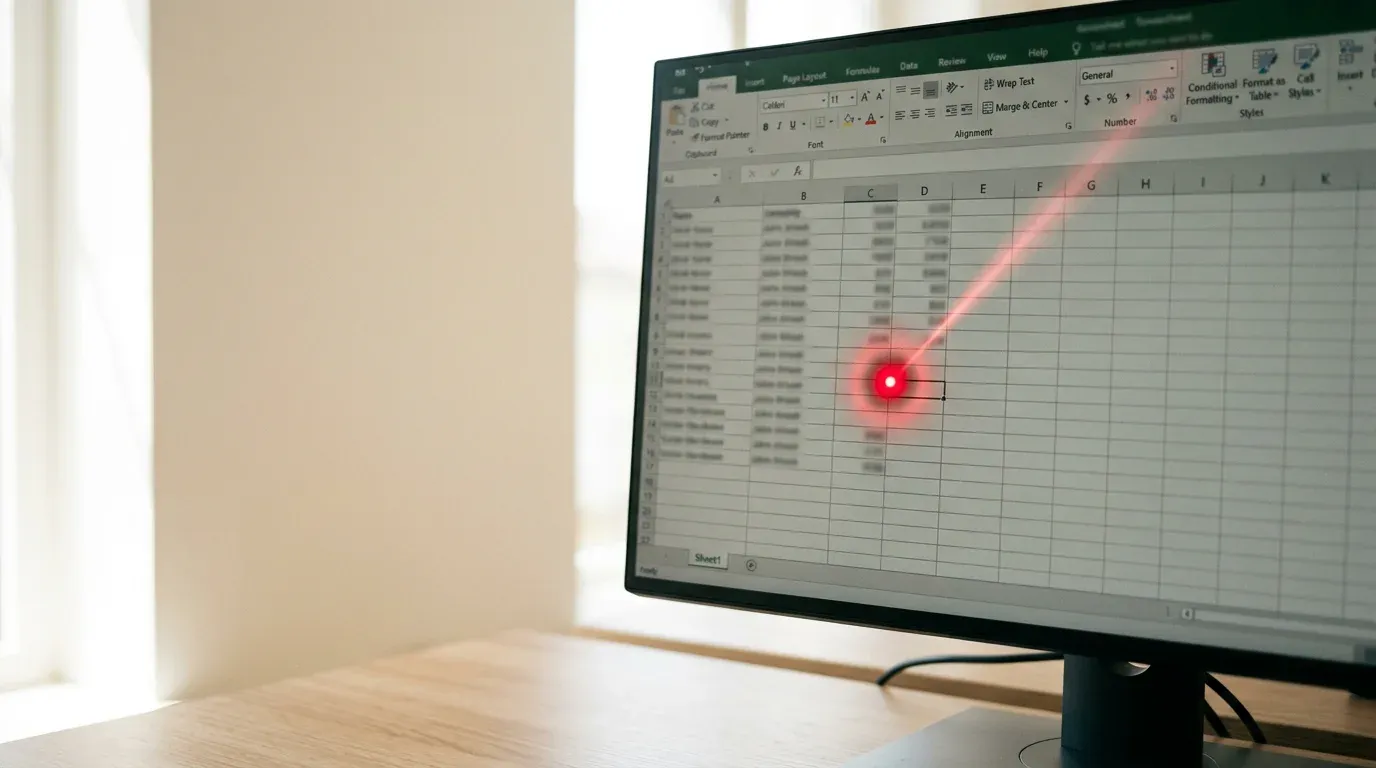
A pointer that appears on the other person's actual desktop while they share their screen, so you can show them where to click. Separate from whatever tool is doing the sharing.
- Runs on
- Mac app
- Needs
- A Mac, for now. Windows was built and withdrawn; Linux is not possible, because Wayland blocks reading the pointer by design.
- Licence
- Not licensed yet
What it does
- A pointer with a short fading trail appears on their actual desktop, not in the shared window
- Works alongside whatever is sharing the screen rather than being part of it
- Draws only, so there is no screen capture, no remote control and no input sent to their machine
- Armed with a hotkey, so it is off until you want it
On a call, somebody shares their screen and you watch it in a window. You can see the thing you want them to click. They cannot see where you are looking, so you describe it: no, the other one, under that, on the left. Three hours of a session has a lot of that in it.
This puts your pointer on their screen. Arm a hotkey, move your mouse over the window showing their desktop, and a pointer with a short fading trail appears on the real thing.
What it deliberately does not do
It only draws. It does not capture their screen, it does not take control, and it sends no clicks or keystrokes to their machine. Those are three different things and only one of them is what you want when you are trying to point at something.
Where it is up to
The Mac version works and has been used end to end. The Windows one was built, published, locked up a real machine, and was pulled the same day it went out. Linux is not on the list at all, because Wayland refuses to tell an application where the pointer is, which is the one thing this needs.
It is not signed, so a Mac blocks it the first time you open it and you allow it by hand, once. Signing costs ninety-nine dollars a year and buys somebody else a cleaner double-click; the app cannot go in the store either way, because the transparent overlay window it draws into uses an interface Apple does not allow there.
 What does it do?



 Prompty